
Connecting to other devices
Using E Ink as a Second Monitor: What Works and What Does Not
A dedicated E Ink monitor plugs in like any display; a BOOX tablet is a different proposition. What each delivers, the latency to expect, and who it suits.
There are two completely different things people mean by "using E Ink as a second monitor", and they deliver very different results. Worth separating them before you spend anything.
The two approaches
A dedicated E Ink monitor. A purpose-built display such as the Mira series, which takes a standard video signal over HDMI or USB-C. Your computer sees an ordinary external monitor. Nothing to install, no account, no app.
A BOOX tablet pressed into service. A tablet is an Android device with no video input. There is no cable that turns one into a monitor. Software that extends your desktop over Wi-Fi or USB can work, with real compromises.
If you want a second screen for work, the first is the one that actually delivers. The second is a workaround.
The dedicated monitor route
Plug it in and your computer treats it as a normal display. Arrange it in your display settings alongside your main monitor and drag windows across.
What to expect honestly:
- Text is excellent. Documents, code, email, long-form reading, terminal work. This is the whole point.
- Cursor movement leaves trails. You learn to live with it faster than you expect, but it is real.
- Dragging windows looks rough, because the panel cannot keep up with continuous motion.
- Video is not viable. Not "poor", not viable. Do not plan around it.
- Refresh tuning matters. These monitors have controls for the speed and quality trade-off, and setting them for your task is the difference between satisfaction and frustration.
The setup that works for most people is E Ink as the text screen, an ordinary monitor next to it for everything else. Reading, writing and reference on one, anything visual on the other.
 BOOX 25.3" Mira Pro Eink Monitor (Color Version)$2,659.99
Why people bother
The case is not productivity, it is comfort. A conventional monitor emits light directly at your eyes for eight hours. E Ink reflects room light like paper does.
For people whose eyes ache by mid-afternoon, this is not a marginal improvement. It is the reason to consider one at all. Our article on E Ink monitors covers who benefits and what a realistic desk setup looks like.
If your work is design, video, photography or anything where colour accuracy matters, this is the wrong tool, and no amount of tuning changes that.
The tablet-as-display route
You can extend a desktop onto an Android tablet with third-party screen-extension software over Wi-Fi or USB. It works, in the sense that pixels arrive.
What you get is a screen with network latency on top of E Ink refresh time. For a static reference document, a checklist or a chat window you glance at, that is acceptable. For anything you interact with continuously, it is not.
Two honest caveats. Support for these tools varies by device and by app version, so treat it as something to test rather than assume. And a tablet doing this is running a network connection and a busy screen continuously, which drains the battery quickly, as our battery guide explains.
A better use for the tablet you already own
Before buying anything, consider that a large BOOX tablet already does the useful half of this without any of the compromise: put the document on the tablet natively rather than streaming your desktop to it.
A Note Max at 13.3 inches holds a full page of reference material beside your laptop, with no latency, no software and no battery drain from streaming. For reading a specification while you write code, or a contract while you draft a reply, that is genuinely better than a laggy extended display. Our PDF annotation guide covers getting the most out of that.
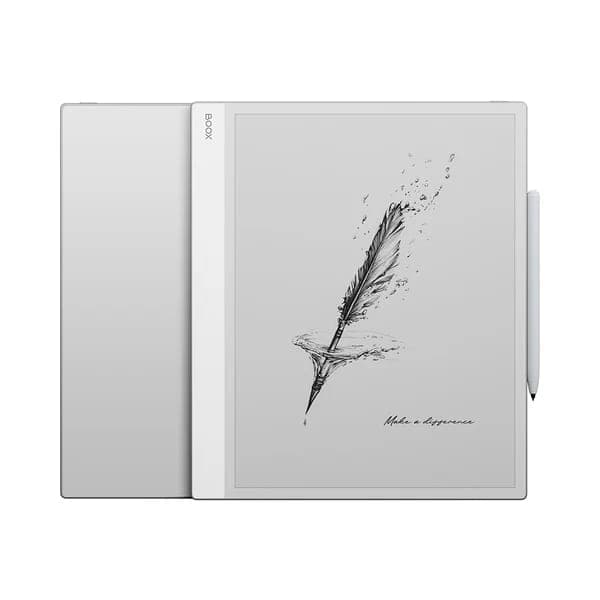 BOOX 13.3" Note Max$839.99
If the monitor is not detected
- Try a different cable. For USB-C, confirm the cable carries video. Many charge-only cables do not, and this accounts for most "not detected" reports.
- Check the input source on the monitor itself if it has more than one.
- Look in your computer's display settings and force a detection. A display connected while the computer was asleep is sometimes missed.
- On a laptop with switchable graphics, confirm which port is wired to which GPU. Some ports do not carry video at all.
Look before you buy
An E Ink monitor is a significant purchase and it suits some people enormously and others not at all. That is genuinely hard to predict from a description, and we would rather you decided in person.
Come to our Oakville showroom and use one for a few minutes with real text on it. You will know quickly whether it is for you.
Common questions
- Can I use a BOOX tablet as a second monitor for my computer?
- Not the way a purpose-built monitor works. BOOX tablets are Android devices without a video input, so there is no cable that turns one into a display. Third-party screen-extension software over Wi-Fi or USB can work, with latency and refresh compromises that make it useful for static reference material only.
- How does an E Ink monitor connect to a computer?
- Like any other monitor. A dedicated E Ink monitor such as the Mira series takes a standard video input from HDMI or USB-C and your computer treats it as an ordinary external display, with no software required on the computer's side.
- Is an E Ink monitor fast enough for normal work?
- For text it is fine. Typing, reading, code and documents all work. Cursor movement leaves visible trails, video is not viable, and dragging windows looks rough. It is a monitor for the text half of your work, not a replacement for your main display.
- Who actually benefits from an E Ink monitor?
- People who spend most of the day reading and writing text and who suffer from eye strain: writers, editors, developers, lawyers, academics. If your work is design, video, photography or anything colour-critical, this is the wrong tool.
Still stuck?
We are a Canadian BOOX dealer with a real showroom in Oakville. If a guide did not solve it, tell us what your device is doing and we will help you work out whether it is a setting or a fault.