
Tips & tricks
BOOX Firmware V4.3: What's New and How to Get It
BOOX has released firmware V4.3, and it is a free update. Most of it is about writing: two notebooks open side by side, live transcription for meetings, a real set of tools in the calendar Memo, and a stylus button you can assign yourself. Here is what each change does, which devices it reaches, and how to install it safely.
Before you go looking for it
BOOX is rolling V4.3 out in batches, and some features differ from one model to another. If your device does not offer the update yet, nothing is wrong; it will arrive. For the exact list of what your model gets, read the changelog that appears on the device when the update is offered.
It is also worth knowing that BOOX commits to free firmware updates for every model for at least three years after launch. A device you buy today keeps improving well after you unbox it.
Note-taking
Dual Notes: two notebooks at once
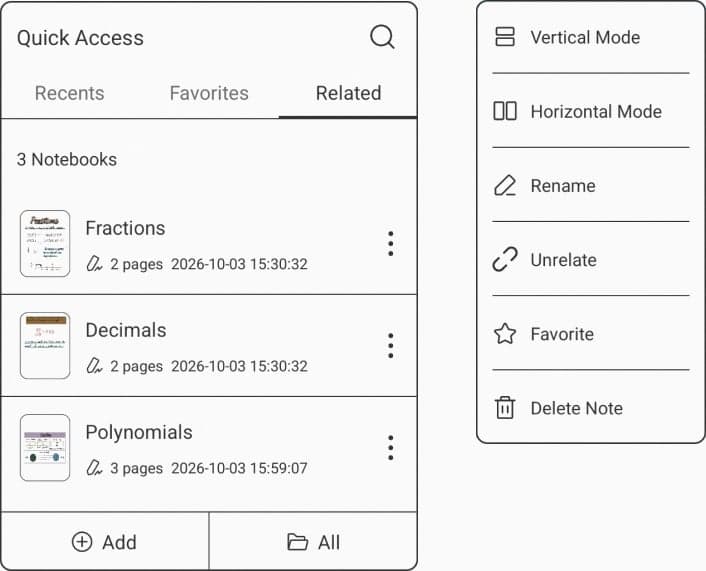
You can now open two notebooks side by side, stacked vertically or next to each other horizontally, and write in both. The Lasso tool drags handwriting from one to the other without switching windows.
This is the change students, researchers and consultants will feel most. Comparing lecture notes against a reading summary, or pulling quotes from a source notebook into a draft, no longer means flipping back and forth. Dual Notes needs a device that supports split-screen, and it works in Handwritten Notes and Infinite Notes.
A Quick Access panel inside your notes
From inside a handwritten or infinite notebook, a new panel lets you view, add and manage your other notes, of any type, without leaving the page you are working on. It makes linking related notebooks a one-tap job.
Undo and redo with a tap
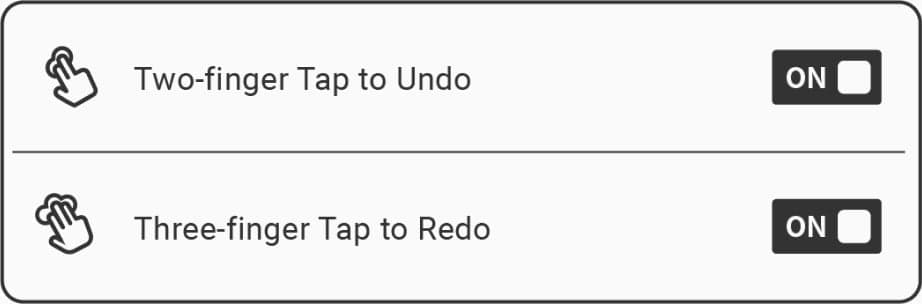
In the Notes app, a two-finger tap now undoes and a three-finger tap redoes. It is a small change that removes a constant trip to the toolbar during fast writing.
Talk Insights for meetings and lectures
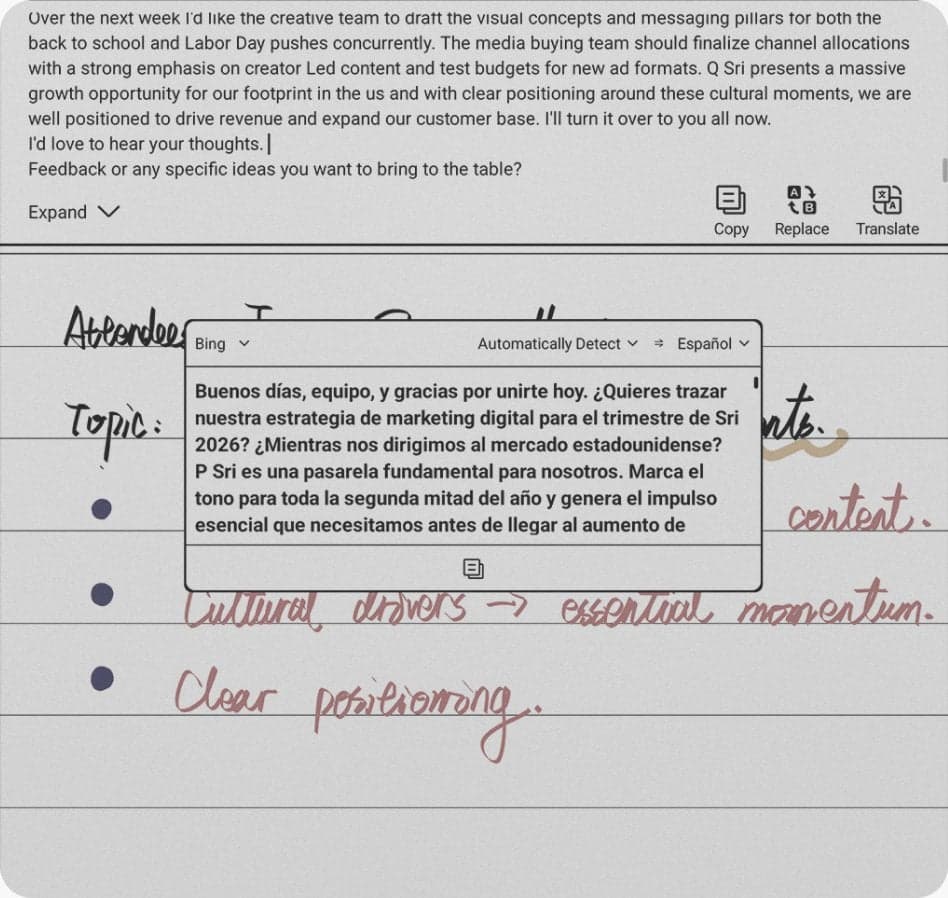
Talk Insights records audio and turns the speech into text in real time. It can translate as it transcribes, and it can produce meeting minutes for a quick recap afterwards. The idea is that you listen properly and write only what matters, instead of trying to capture every word by hand.
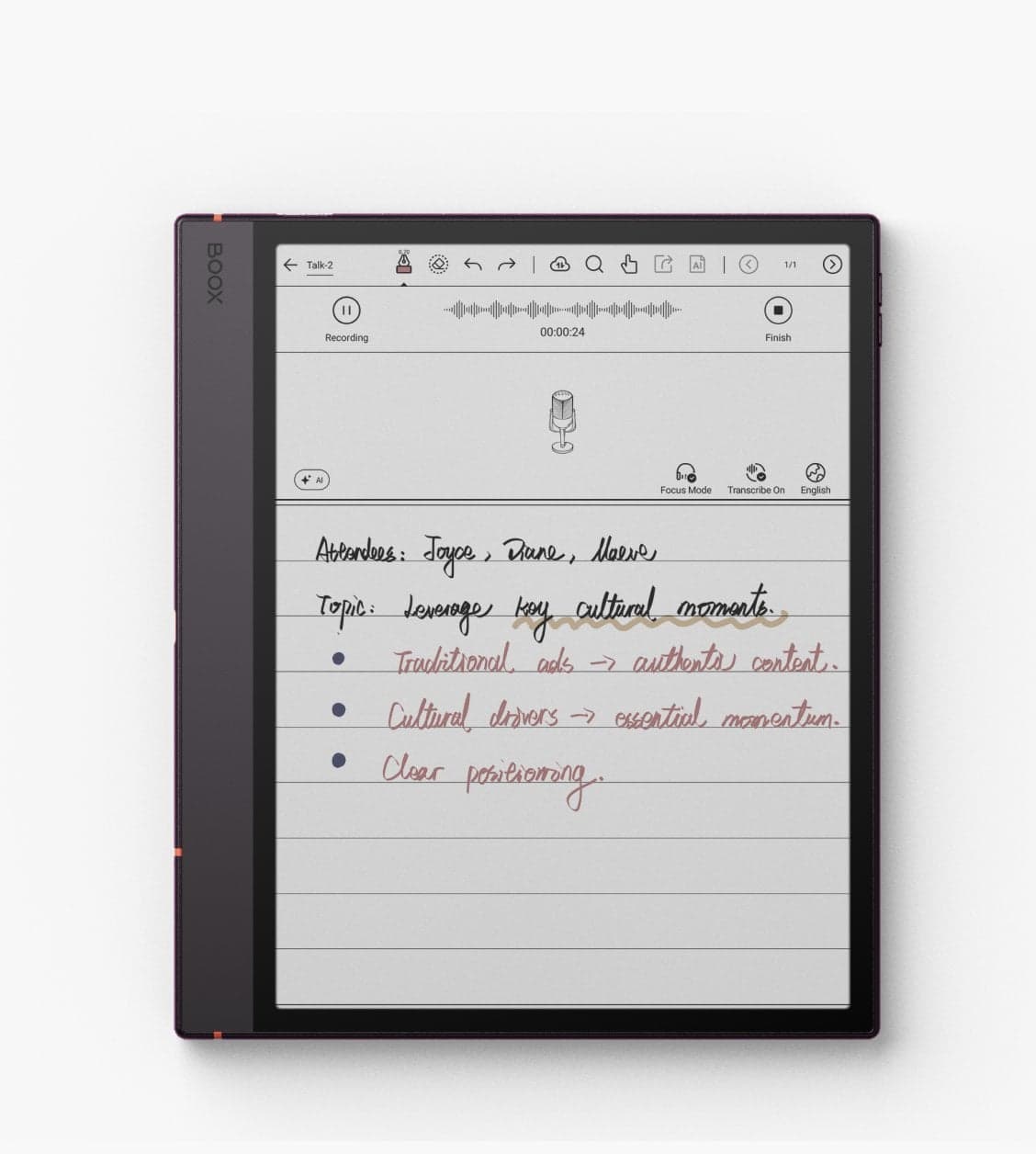
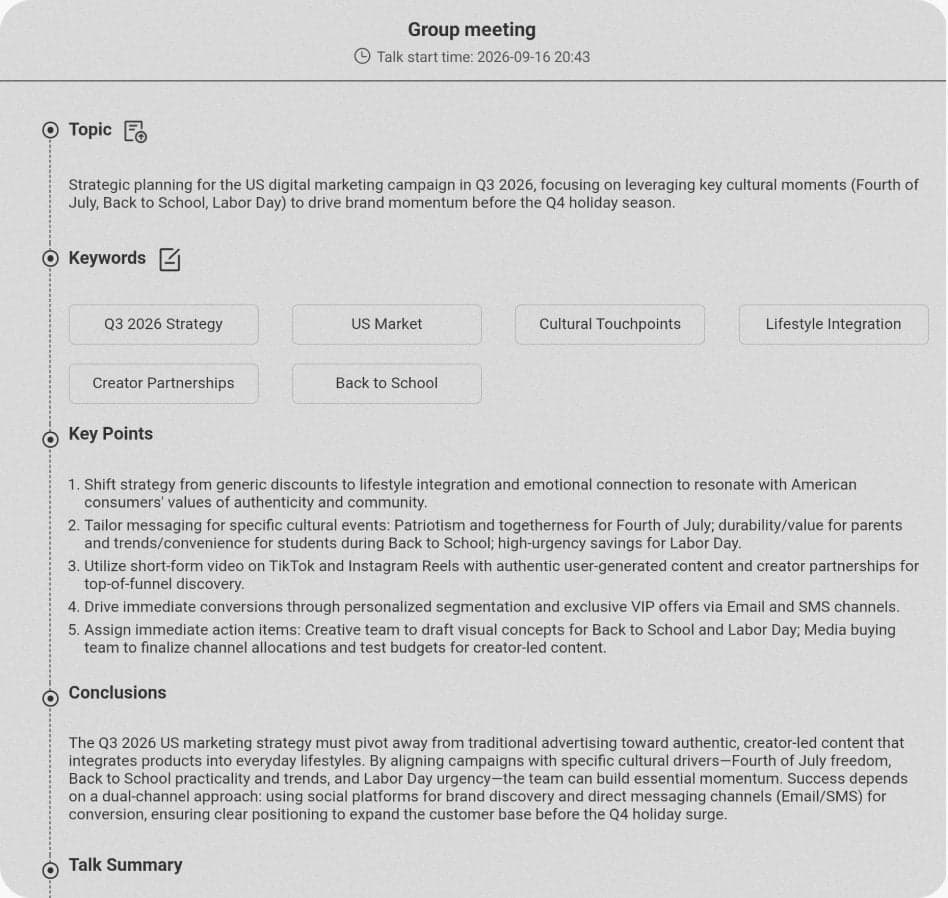
Canada is on the supported region list, and both English and French are among the supported languages. A few practical points:
- It needs an internet connection and the latest firmware.
- Signing in to an Onyx account gives you 5 hours of transcription and 500,000 characters of AI Assistant responses every day.
- Recording quality depends on the room, how loudly people speak and how far they are from the device, so sit close to the speaker when it matters.
Talk Insights launched with the Note Air6 C. Whether an older model gains it through V4.3 depends on the model, so check your device's changelog rather than assuming.
 BOOX Note Air6 C 10.3"$769.99
Calendar Memo
A complete set of writing tools
The Memo section in the calendar now has seven brushes, with adjustable colour and line width, so a quick checklist or a marked-up reminder looks the way you want it to. A Lasso tool lets you select, move and resize what you wrote, and turn handwriting into a calendar event or a reminder.
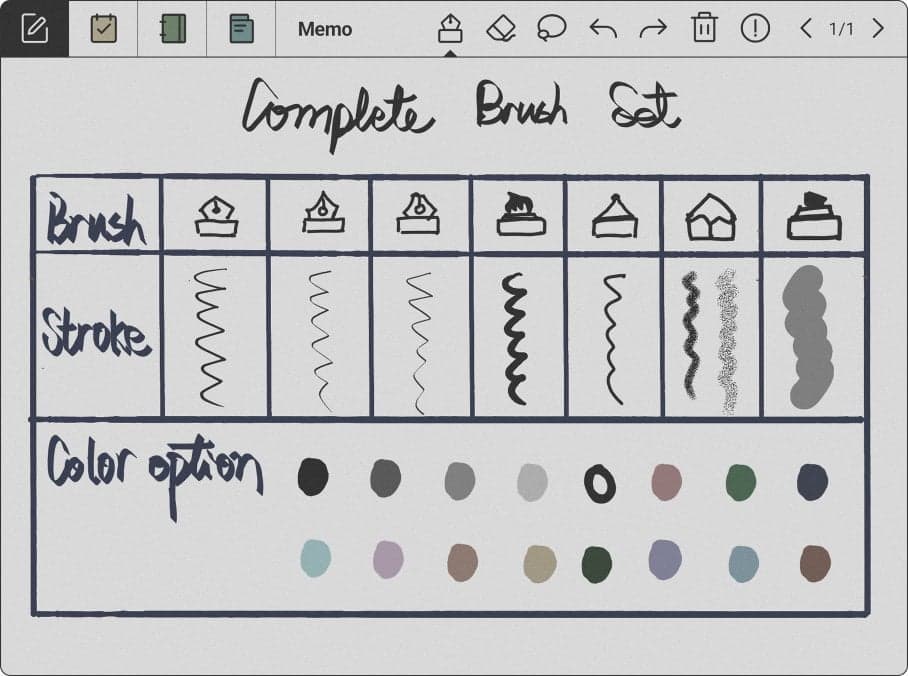
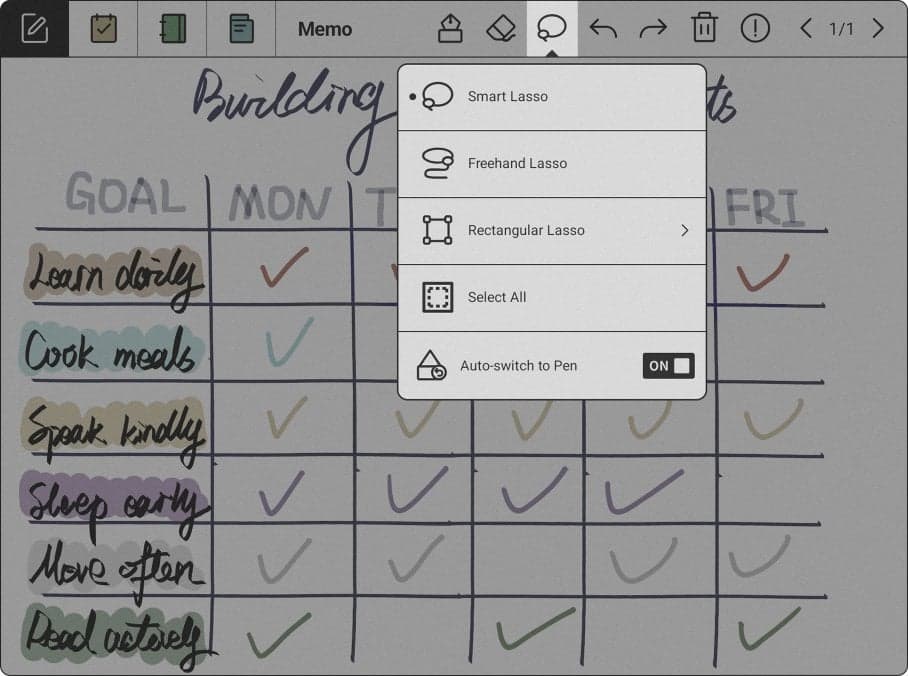
Memo comes to the Palma
The Memo section now reaches the 6.13″ Palma devices that support writing. In our lineup that means the Palma models that work with a stylus, such as the Palma 2 Pro and the new Palma 3 with the InkSense Plus stylus. Jotting down a to-do on the bus no longer means opening the full Notes app.
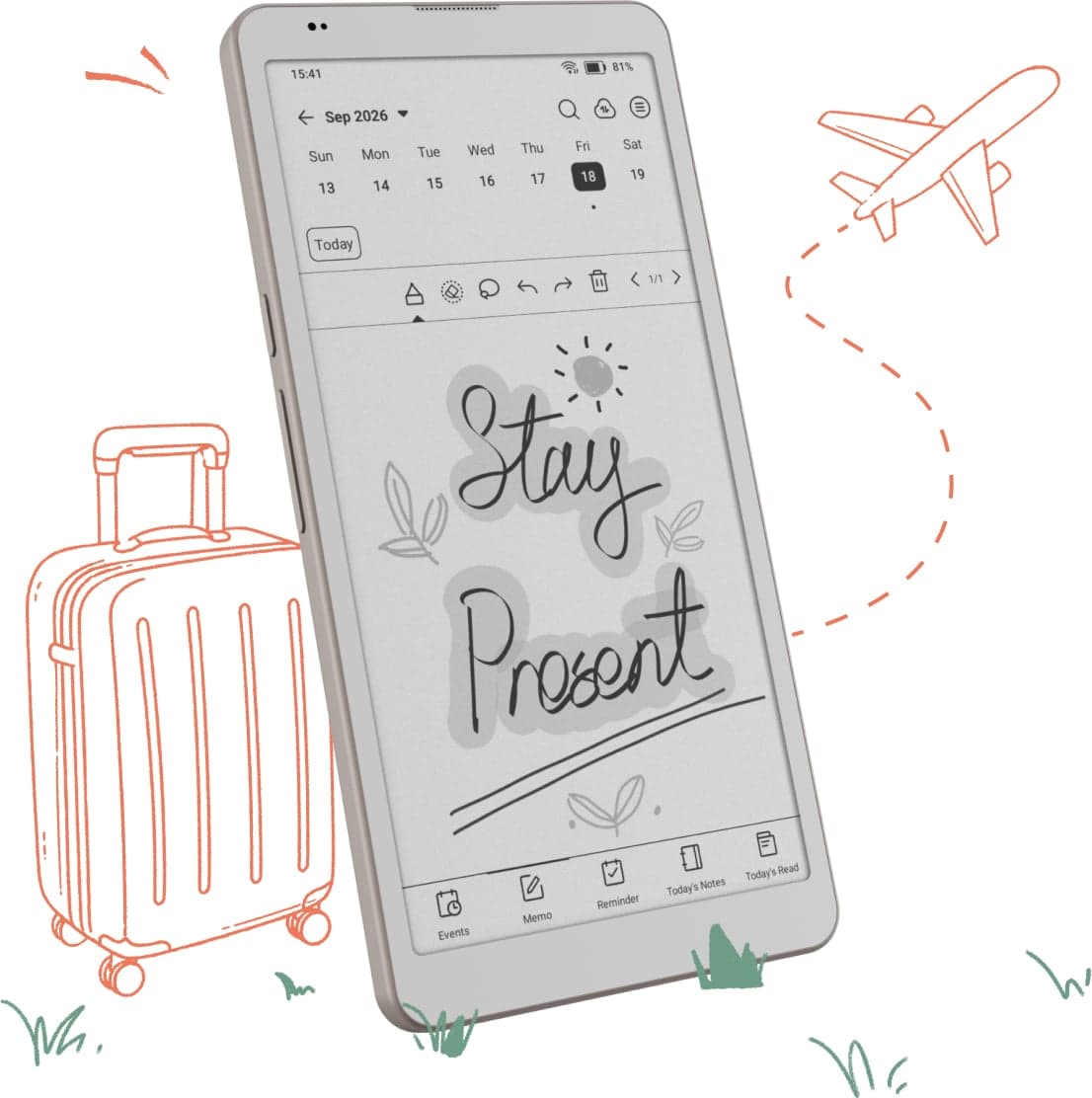
 BOOX Palma 3$447.99
Settings
New screensaver styles
The Currently Reading screensaver shows the cover of the book you are reading, kept at its original proportions. The Transparent screensaver lets you decorate it with stickers. Both make a sleeping BOOX look a little more like yours.
A stylus side button you can assign
If your stylus has a side button, you can now decide what it does. Map it to the Marker, the Eraser or the Lasso inside BOOX's own apps, and switch tools without reaching for the toolbar. This works with BOOX active styluses that have a side button, including the InkSight, the InkSense Plus and the InkSense. Our guide to the stylus and notes covers the rest of the writing setup.

 BOOX InkSense Plus active stylus$58.79
How to update safely
- Charge first. Plug the device in, or make sure the battery is well charged, so a low battery cannot interrupt the update.
- Back up your notes. Every BOOX user gets 10 GB of free Onyx cloud storage. Syncing your notebooks before a major update is cheap insurance; our cloud storage guide shows how.
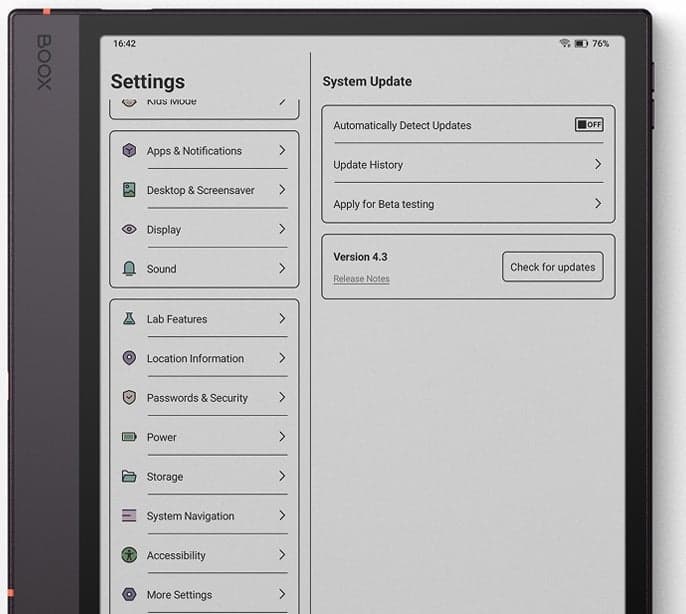
- Check for the update. Connect to Wi-Fi, then run the firmware update check in Settings. If V4.3 is not offered yet, your batch has not arrived; check again in a few days.
- Revisit your display settings afterwards. An update can reset refresh and front light preferences. Our setup guide walks through the settings worth checking.
Need a hand?
TIFAN is an authorized Canadian BOOX dealer. If an update does not go the way it should, contact us and we will walk you through it. Every device we sell carries the full BOOX manufacturer warranty, and our Canadian team is your single point of contact for any claim. And if you want to try Dual Notes or Talk Insights before you buy, the current lineup is on display at our Oakville showroom.